A planning tool for filmmakers and content creators

Plan your shoot, shot by shot.

From scribbled notes to a finished PDF brief. ShotList turns your ideas into a structured shot list, runs alongside you on set, and stays out of the way when you don't need it.

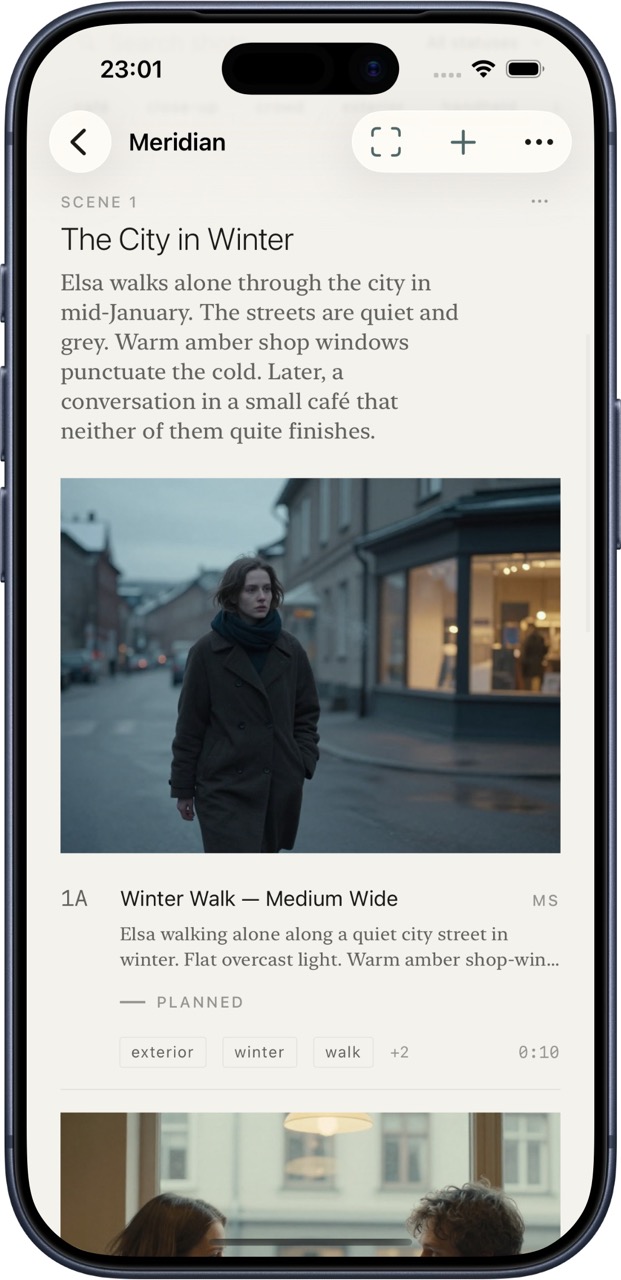
ShotList project detail view showing a scene description, captured frame, and shot list
What it does

Three steps. Quietly.

Before the shoot, during, and after. The whole flow lives in one app, but each piece works on its own.

Before

Notes become a shot list.

Paste a treatment, a script, or rambling notes from a phone call. ShotList structures them into scenes and shots — framings, camera movements, lens hints, durations, talent and location placeholders.

Pick a coordinate and a radius, and the AI scouts real nearby places through MapKit before generating, so the locations it suggests actually exist.

  • Bring your own Anthropic or OpenAI API key
  • Or run fully on-device with Apple Intelligence
  • Your scripts never pass through a server we run
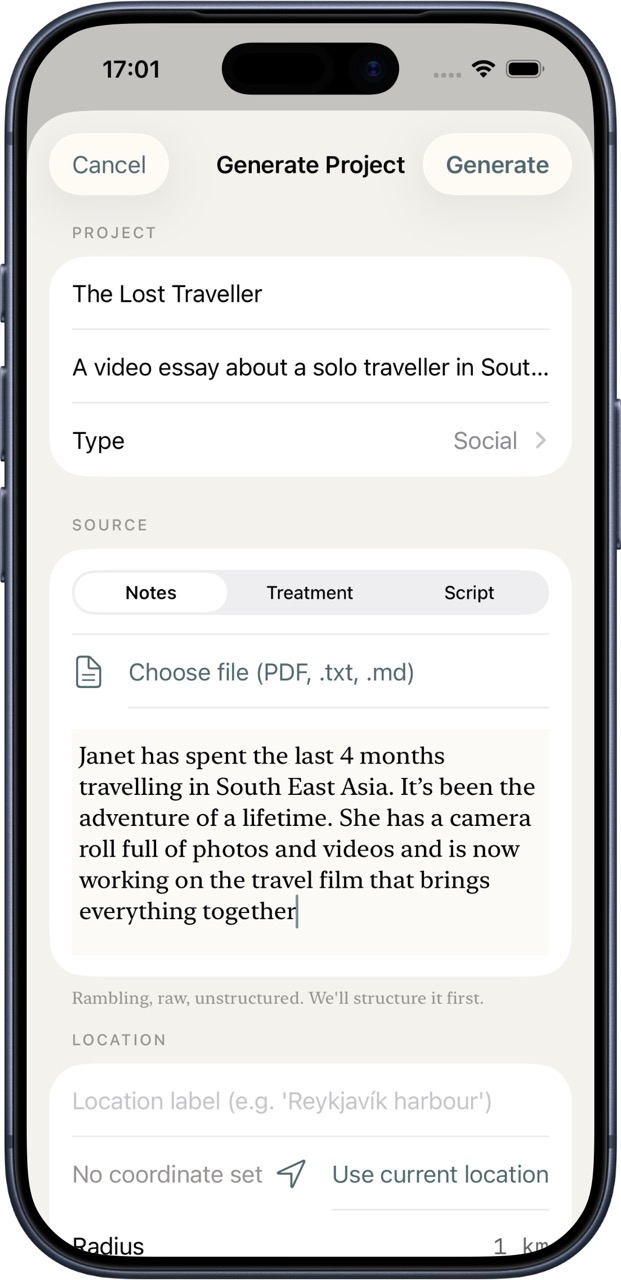
The Generate Project sheet with notes, treatment, and script input options
During

On-set mode for cold hands.

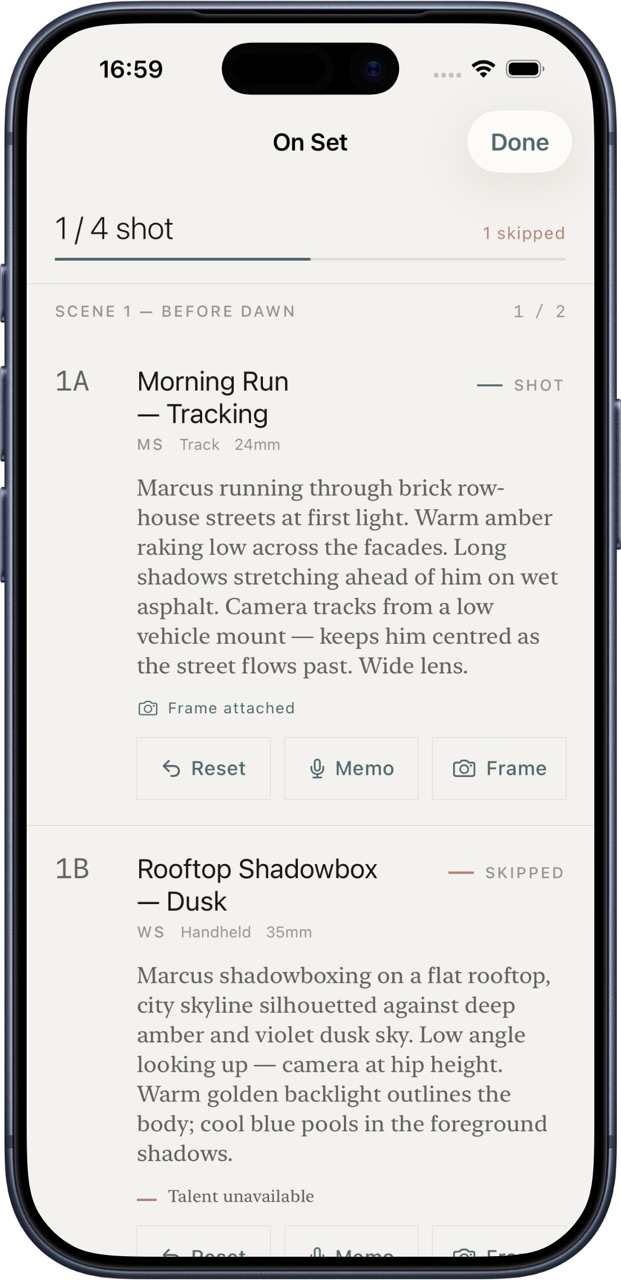
Big-touch UI made for the realities of filming. Mark shots as done with one tap. Skip shots with a reason captured. Record voice memos against any shot. Attach a still grab from your camera roll so the row thumbnail becomes what you actually filmed.

Progress tracking across the whole project. Per-scene done-counts. No menus to swipe through while the talent waits.

  • One-tap status: planned · shot · skipped
  • Preset skip reasons (lost light, talent unavailable, tech failure…)
  • Voice memos saved to disk, not uploaded
On-set mode with shot status, captured frame indicator, and Reset / Memo / Frame buttons
After

A PDF brief that earns its place.

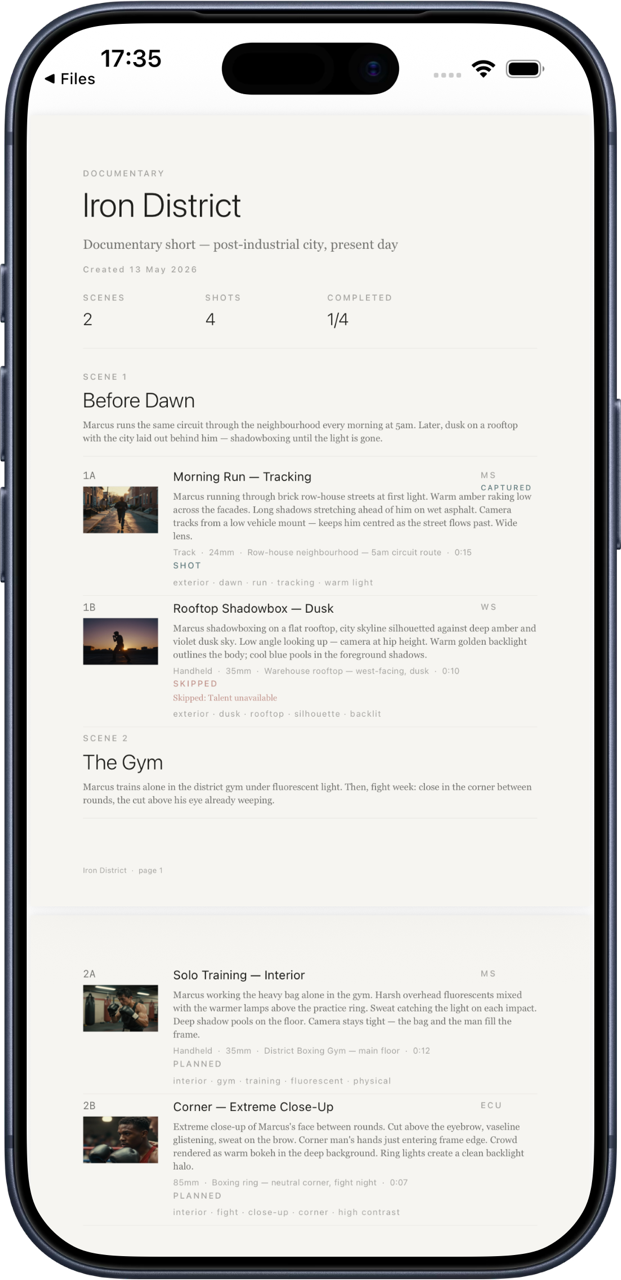
One-tap export. Cover page with title, project kind, dates, scene and shot counts, the saved treatment if you generated one. Then a scene-by-scene shot list with captured-frame thumbnails, framings, movements, lenses, locations, durations, status, and voice-memo markers.

Typography that doesn't embarrass the work. Share via AirDrop, email, or save to Files.

  • A4 portrait, drawn with CoreText — no HTML stylesheet to fight
  • Captured frames included as thumbnails
  • The same warm canvas, ink, and hairlines as the app
Export a PDF from the app,
open in Preview, screenshot it.
The Generate Project sheet with notes, treatment, and script input options
Who it's for

Built for filmmakers, and creators.

ShotList is for the people making documentaries, short films, music videos, branded content, and editorial work — where the difference between a planned shoot and a chaotic one shows up on screen.

Documentary directors

Turn field notes from a phone call into a structured treatment, then into a shot list with location ideas drawn from where you'll actually film.

Music video DPs

Plan complex shoots quickly. Map performance scenes to locations. Track which shots got covered on a long day.

Short film teams

Generate a shot list from a script, share the PDF brief with your DP, then run the day from the app itself.

Serious content creators

Generate a shot list from messy notes or a treatment, find nearby locations within your budget and equipment constraints, then stay on top of getting all the footage you need from within the app.

How it handles your work

Your scripts & notes stay on your phone.

ShotList doesn't run a server that holds your data. Projects, scripts, voice memos, captured frames — all of it lives on your device. AI generation goes directly from your phone to Anthropic, OpenAI, or Apple Intelligence, using your own API keys. We don't proxy your requests, log your usage, or run analytics.

No accounts. No tracking. No ads. No surprise paywalls on basic features. Privacy policy.